All email types

Transactional Email Generator
with AI Templates.

Create a transactional email that puts essential status details first while keeping the message clear and on brand.

Campaign guidance

What makes a reliable transactional email

Put required status details first, then check whether branding supports trust without hiding the information customers need.

Message brief

Start with the status information customers need

Transactional emails are utility-first. Give Emailgic the trigger, required account or order details, and the exact action the recipient may need to take.

  • Order, receipt, shipping, account, or security status
  • Critical details such as IDs, dates, amounts, links, or next steps
  • Brand elements that support trust without hiding the information

Before you send

Keep branding secondary to clarity

A transactional draft should be easy to scan under pressure. Review the email for accurate data hierarchy, accessible links, and restrained promotional content.

  • Put the most important status or action near the top
  • Check dynamic fields, fallback text, and support links
  • Keep cross-sell or brand content clearly secondary
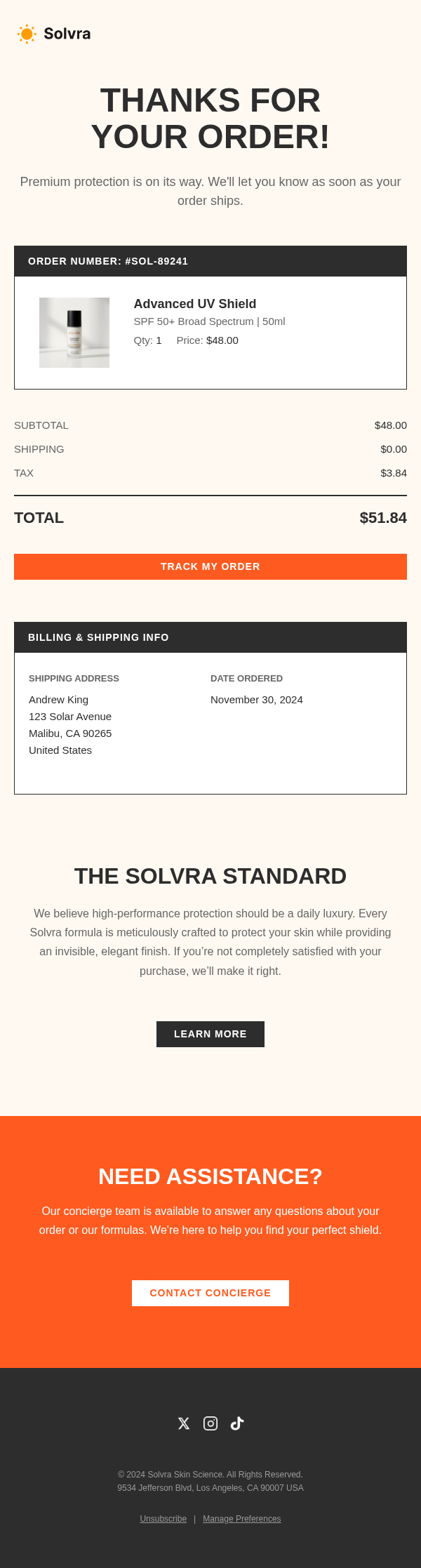
Start from an Example

Review a few transactional examples, then open one for details or remix it for your own brand.

Order Confirmation

Order Confirmation

Shipping Notification

Shipping

Payment Receipt

Receipt

Password Reset

Password Reset

How It
Works.

Three steps to a professional transactional email. No design skills required.

1

Describe the transaction type, key details to include, and your brand style.

2

Emailgic generates a clean transactional email with all the essential information.

3

Export the template and integrate it with your order or notification system.

Frequently Asked Questions

Everything you need to know about creating transactional emails with Emailgic.

Create Your Transactional Email
Now.

Create a transactional email that puts essential status details first while keeping the message clear and on brand.

Start Creating Now