All email types

Order Confirmation Email Generator
with AI Templates.

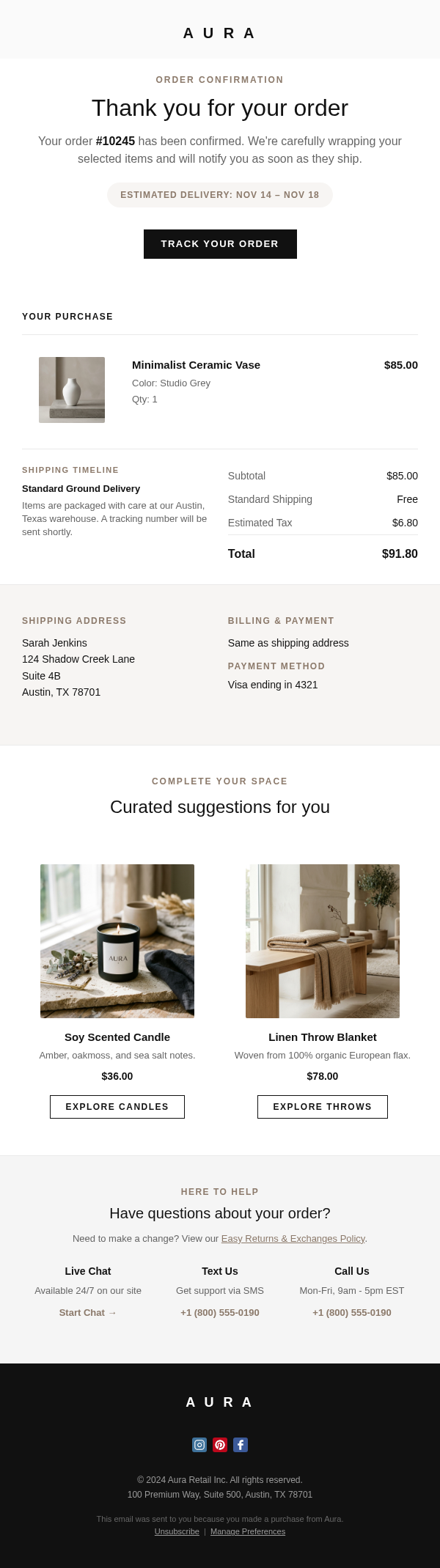
Create an order confirmation email that reassures customers instantly, shows order details clearly, and leaves room for tracking, support, or a light cross-sell.

Need a direction?

Browse working examples

Compare real order confirmation layouts before generating your own version.

View examples

Need guidance?

Read practical guides

Sending platform

Prepare for handoff

Review the same template type through the ESP workflow your team uses.

Campaign guidance

What makes a reliable order confirmation email

Start from the receipt and order details, then decide whether delivery expectations, support access, or a restrained cross-sell belongs below the core confirmation.

Template intent

Treat confirmation as the primary conversion

Order confirmation template searches carry both template and transactional intent. Give Emailgic the order trigger, required fields, and customer reassurance points before asking for visual polish.

  • Confirmation message, order ID, item summary, total, and order date
  • Shipping address, delivery estimate, pickup details, or next notification
  • Support channels and cancellation or change instructions when relevant
Before you send

Check dynamic fields before adding secondary content

SERP examples and People Also Ask results emphasize what to include in an order confirmation. Review variable names and fallback states before adding product recommendations.

  • Confirm item, quantity, price, tax, shipping, discount, and total variables
  • Keep the receipt and next step visible above any cross-sell
  • Use a separate shipping email when tracking details are not ready yet
  • Make support access easy to find for order changes or delivery questions

Start from an Example

Review a few order confirmation examples, then open one for details or remix it for your own brand.

Receipt First Confirmation

Receipt

Confirmation with Cross-Sell

Cross-Sell

How It
Works.

Three steps to a professional order confirmation email. No design skills required.

1

Describe the store, order trigger, required fields, delivery expectations, support details, and any secondary post-purchase section.

2

Emailgic generates a responsive confirmation template with receipt hierarchy, dynamic-field placeholders, and a clear next step.

3

Export ESP-ready HTML and connect order, customer, shipping, and payment variables in your sending platform.

Frequently Asked Questions

Everything you need to know about creating order confirmation emails with Emailgic.

Create Your Order Confirmation Email
Now.

Create an order confirmation email that reassures customers instantly, shows order details clearly, and leaves room for tracking, support, or a light cross-sell.

Start Creating Now