All email types

AI Event Invitation Email Generator

Create an event invitation that makes the value, logistics, and RSVP path easy to understand at a glance.

  • Apply a reusable Brand Profile
  • Refine the template in Chat
  • Download HTML or hand off a draft

Campaign guidance

What makes a clear event invitation email

Give the invite enough context to earn attention, then make sure the logistics and RSVP path stay easy to scan.

Event brief

Give the invite enough context to earn an RSVP

An event invitation needs more than a date and button. Give Emailgic the format, audience, topic, reason to attend, and registration deadline.

  • Date, time, timezone, location, or virtual platform
  • Agenda, speaker, outcome, or attendee benefit
  • The RSVP path and any capacity or deadline constraints

Before you send

Check the logistics before the design

Event emails fail when important details are hard to find. Review the draft for scan-friendly logistics and a clear registration path.

  • Make time, timezone, and location visible near the top
  • Confirm the CTA matches the event status: register, RSVP, or join
  • Add reminder-friendly details that can carry into follow-up emails
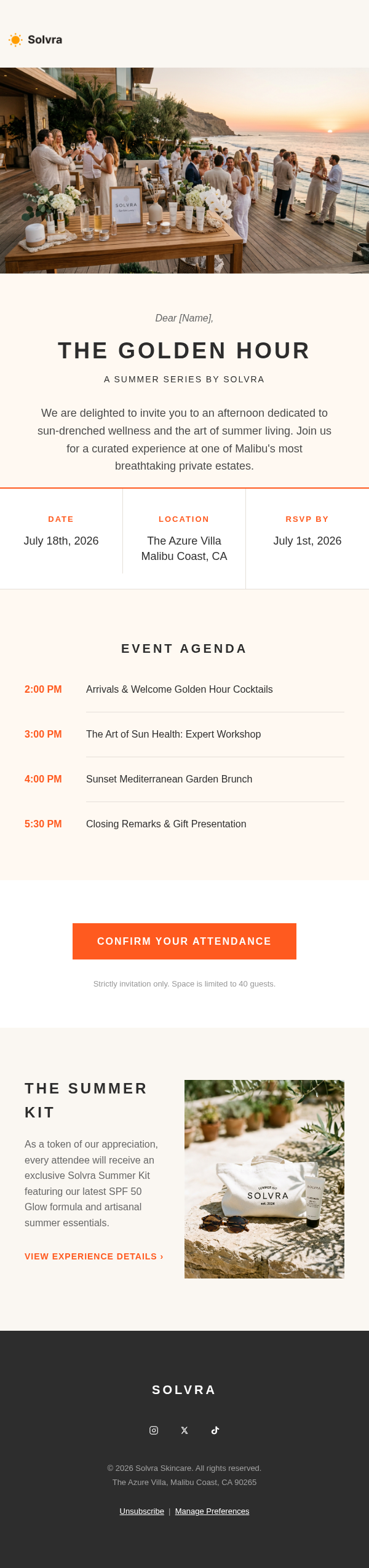
Start from an Example

Review a few Event Invitation examples, then open one for details or remix it for your own brand.

Solvra Golden Hour Event Invitation Email

Solvra Golden Hour Event Invitation Email

Exclusive Event Invitation

How it works

Three steps to a professional event invitation email email. No design skills required.

1

Describe your event, including the date, topic, speakers, and target audience.

2

Emailgic generates a polished invitation email with event details and a registration CTA.

3

Export the invitation and add it to your event promotion workflow.

Frequently Asked Questions

Everything you need to know about creating event invitation emails with Emailgic.

Create Your Event Invitation Email Email Now.

Create an event invitation that makes the value, logistics, and RSVP path easy to understand at a glance.

Start generating